 Tanlo
TanloA day on Tanlo
From the morning float to the last bed of the night.
Here's a normal day at the desk, with the real Tanlo screens. The salon and clients in these pictures are examples.
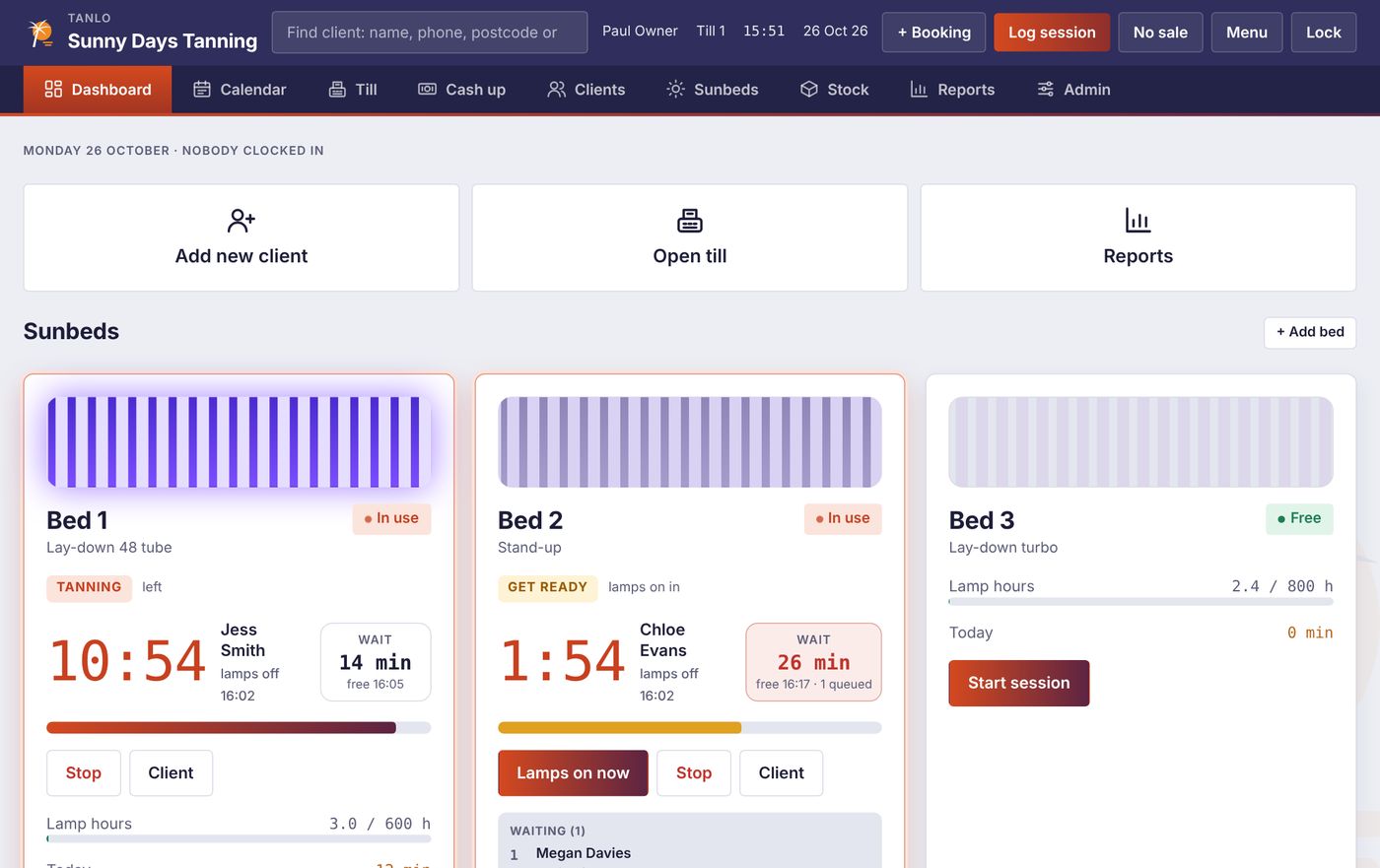
Open up and see every bed at a glance
The dashboard shows each sunbed live: who's on it, how long is left, who's waiting and how long a walk-in would wait. Lamp hours, cleaning jobs due and today's bookings are on the same screen.
- Get ready, tanning and changing time, counted for you
- A wait time on every bed, including the queue
- "Needs cleaning" after each client, logged with who cleaned it
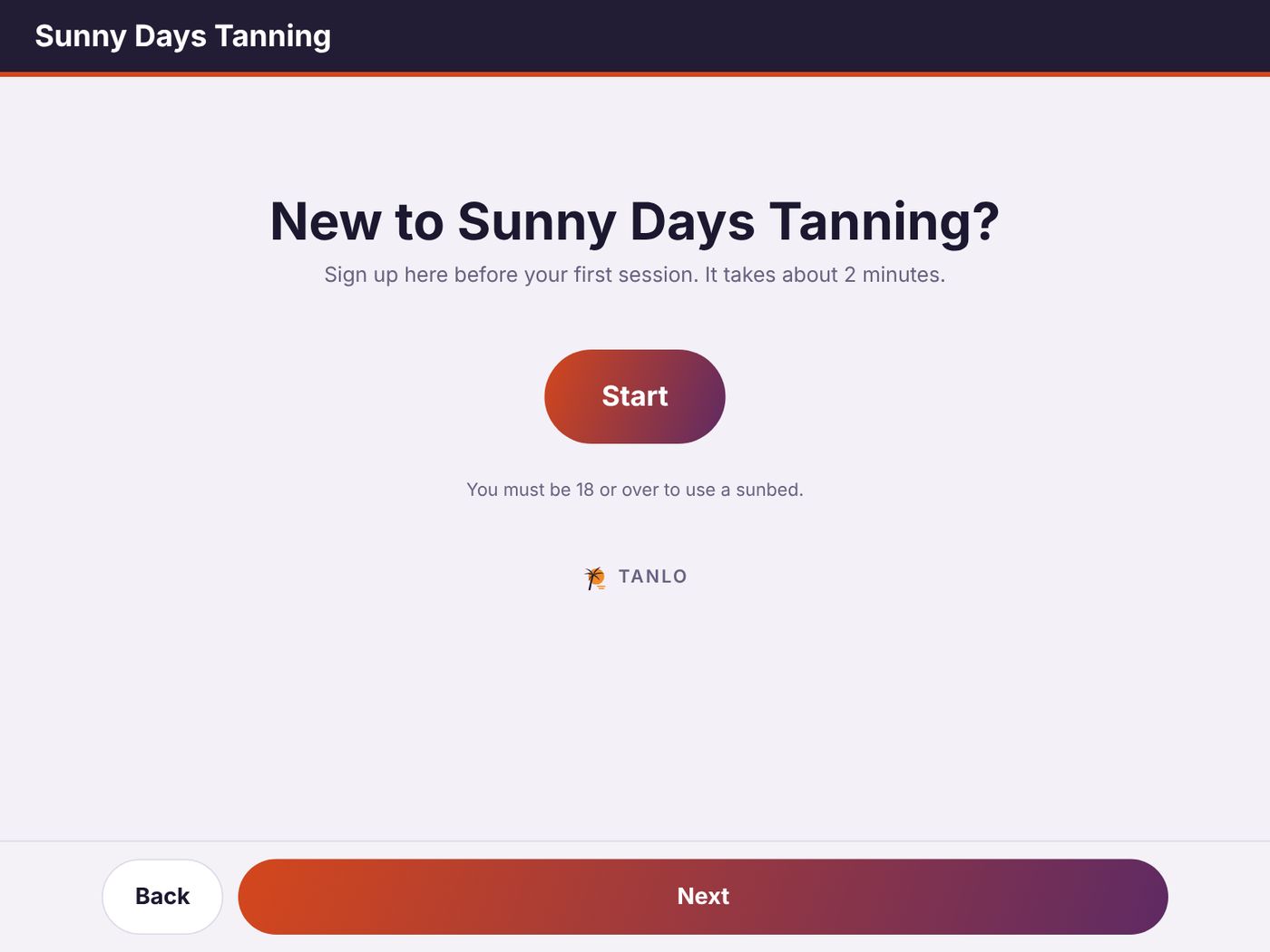
New clients sign themselves up
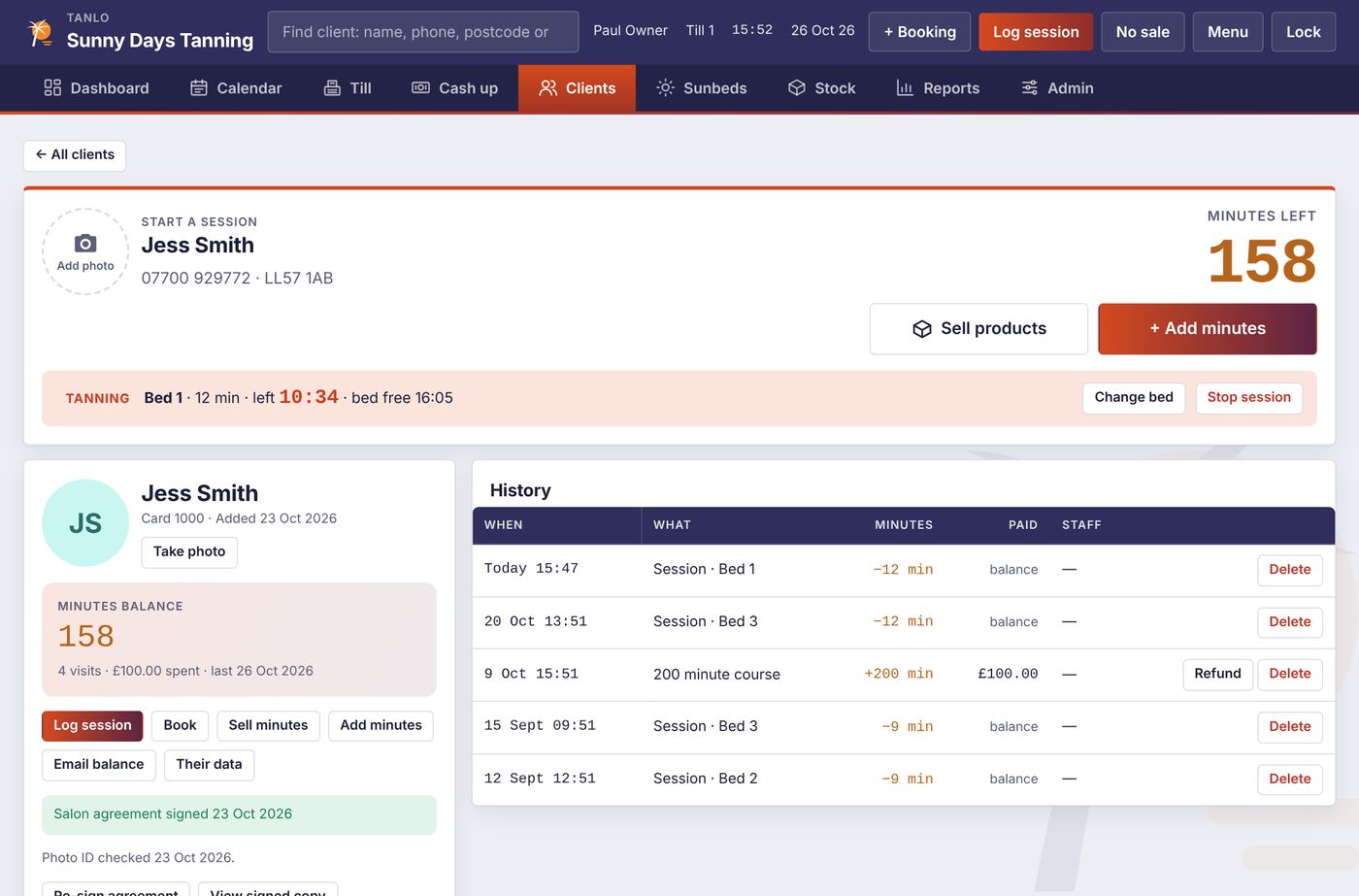
Hand a tablet to a new client. They type their details, choose their skin type, read your agreement and sign with a finger. They appear in Tanlo straight away, ready for you to check their ID. The tablet can't show anything else, so it's safe to hand over.
- Your own salon agreement, signed and kept on their card
- Under-18s stopped before they finish
- Pair a tablet by scanning a QR code
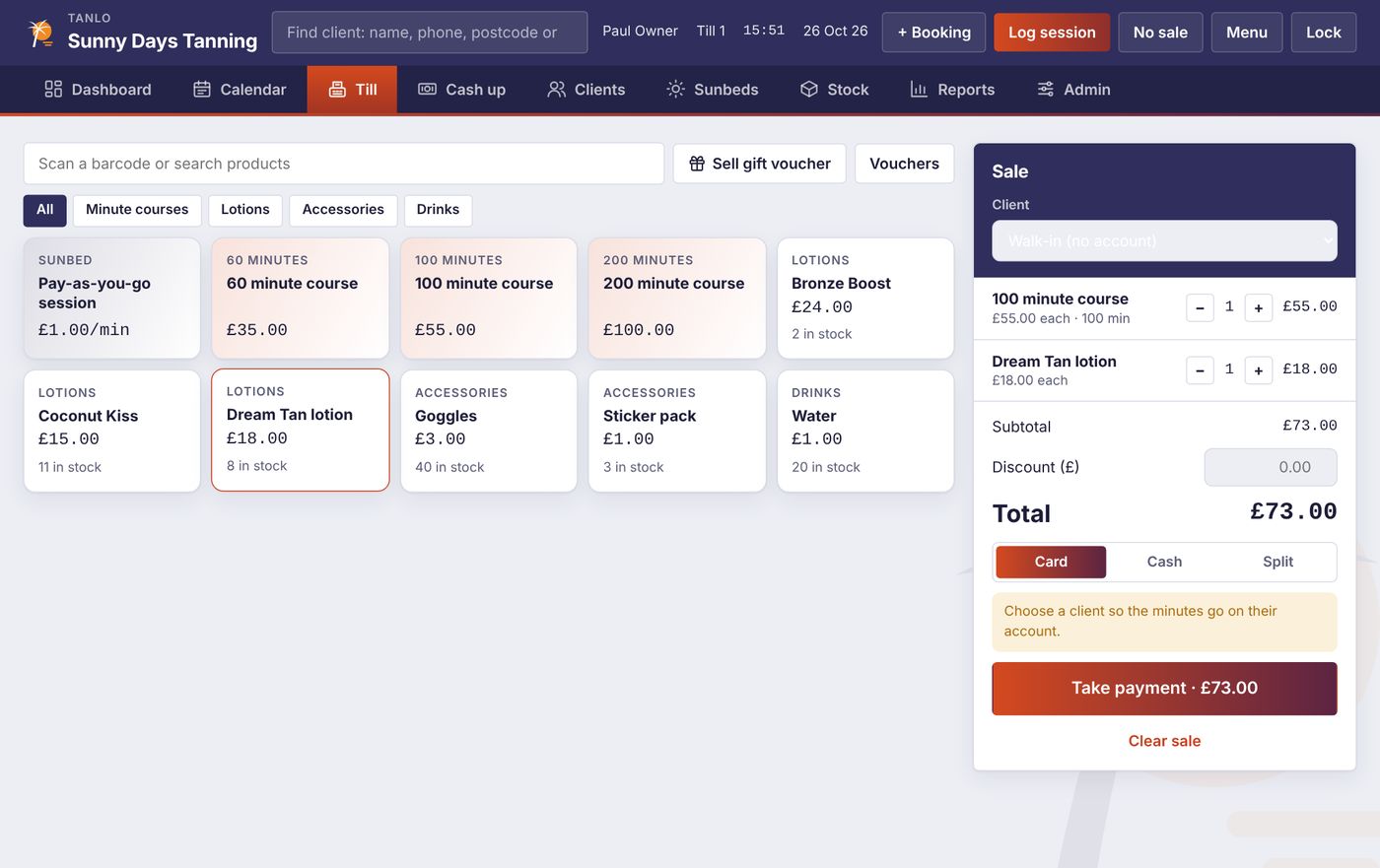
Sell courses, creams and vouchers in a few taps
Minute courses go straight onto the client's account. Pay by card, cash or a split of both. Gift vouchers print with a code, and if a client loses theirs you can find it on their card.
- Courses, pay-as-you-go minutes, special offers and memberships
- Receipt printer, cash drawer and card machine (Stripe, SumUp or Dojo)
- Barcode scanning and stock that counts itself down
Bookings from the desk, the phone and online
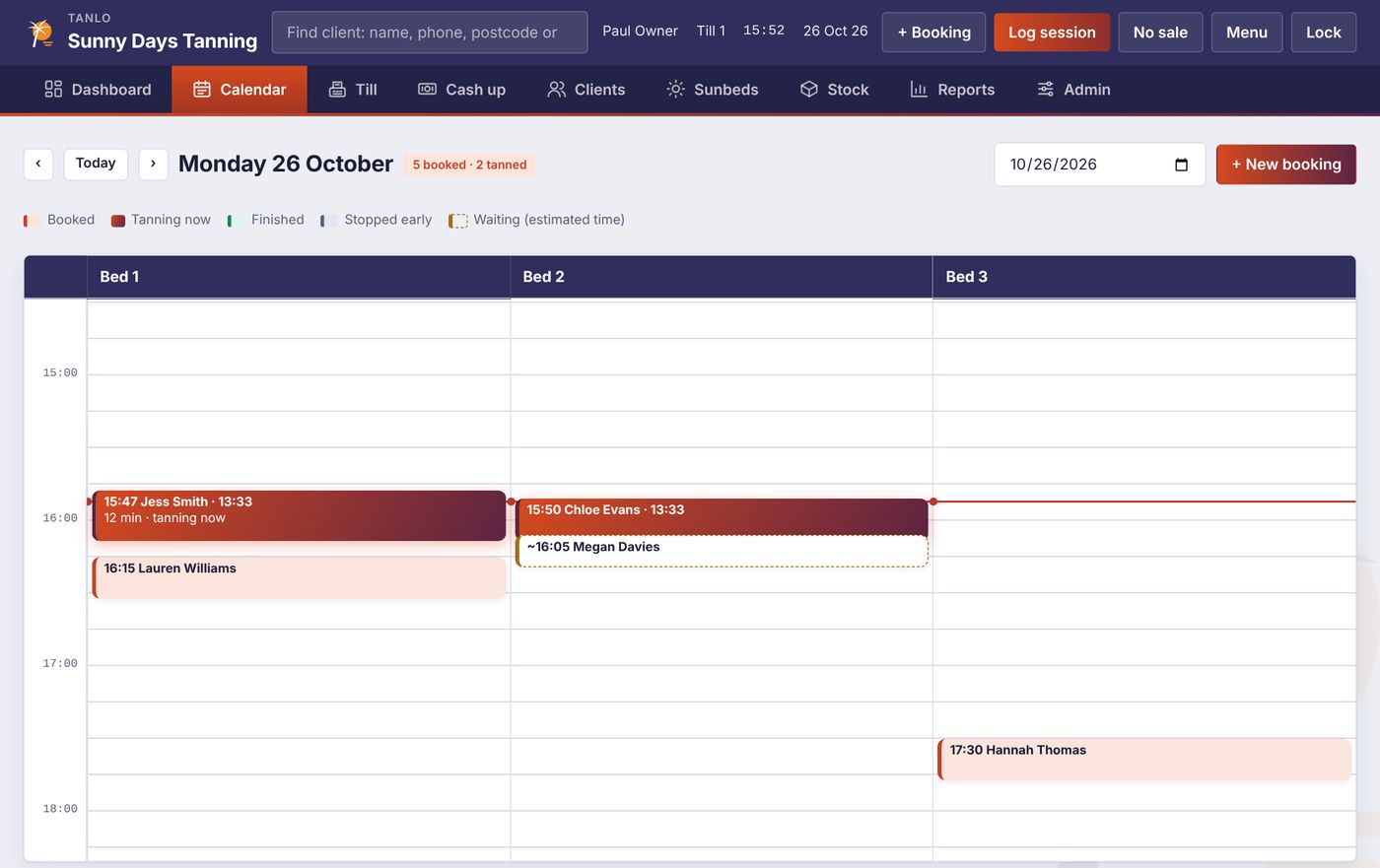
One column per bed, with bookings, who's tanning now and who's waiting. Turn on online booking and clients pick a free time from their phone. It lands in your calendar within a minute and they get a confirmation email.
- Free times worked out from your hours, beds and sessions
- No double bookings, even with walk-ins
- Caller details pop up when a client rings
Cash up in two minutes, and know where you stand
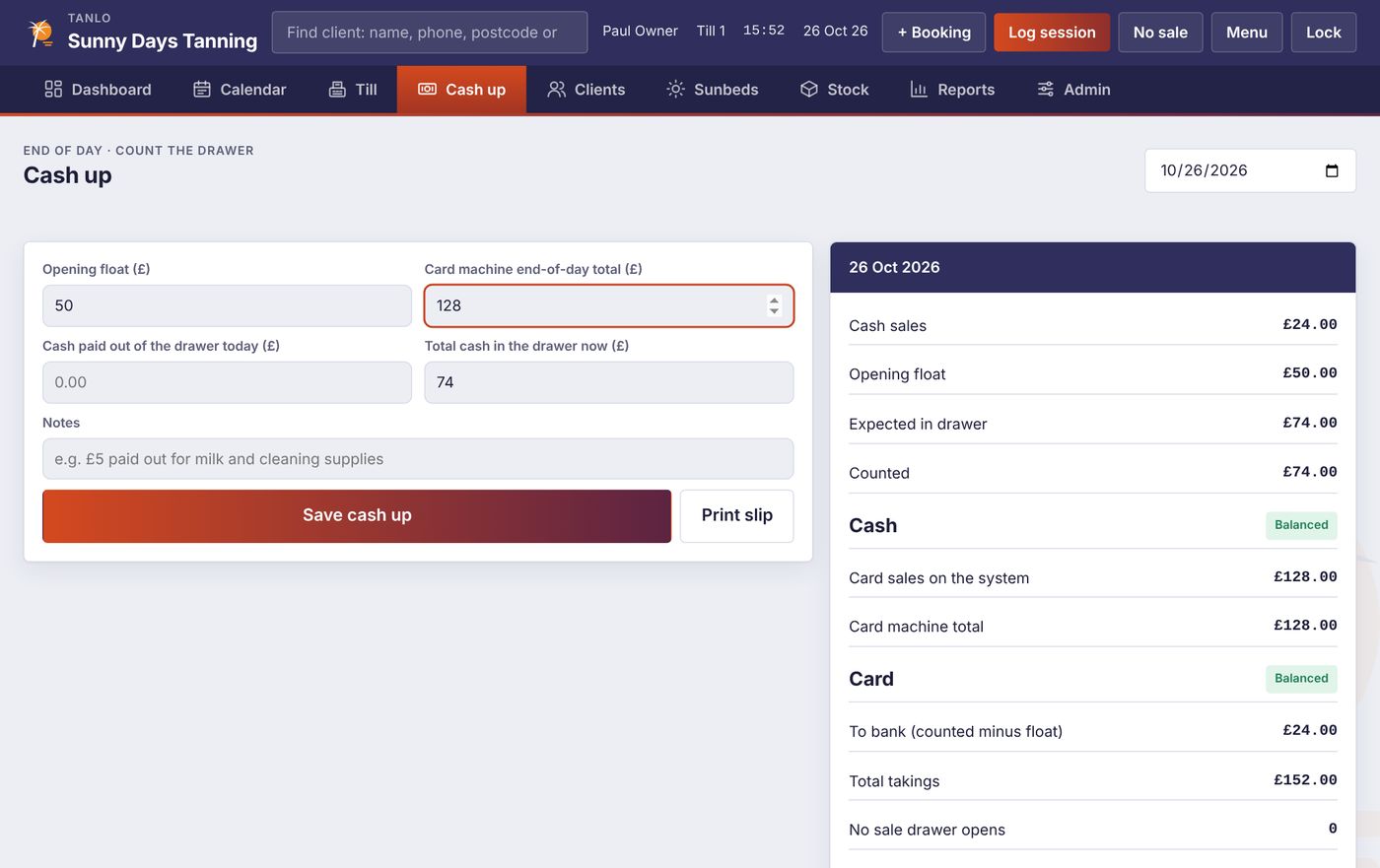
Type the float, the cash in the drawer and the card machine total. Tanlo shows if you're over or short, and how much to bank. Reports show takings, sessions, bed use and your busiest hours, and the accountant export does the month in one click.
- Cash and card checked separately
- Refunds and split payments counted in the right place
- Spreadsheets for your accountant, with VAT if you need it
Safety checks
The rules are checked every time a bed starts.
Before any session starts, or anyone joins a queue, Tanlo checks the client against your salon's rules. Staff can't skip a block, and every warning they confirm is saved with the session.
Under 18
Always stopped, at the desk and on the sign-up tablet.
Skin type I
Clients who always burn can't be put on a bed.
No signed agreement
Or one older than your re-sign period, 12 months to start with.
Within 48 hours
Too soon after their last session? Staff have to confirm they've checked.
Minutes for skin type
Limits for each skin type and each bed, plus a first-session limit.
Cleaning and Challenge 25
ID checks and every cleaning job are logged, ready to export for an inspection.
Bed screens
A countdown in every bed room.
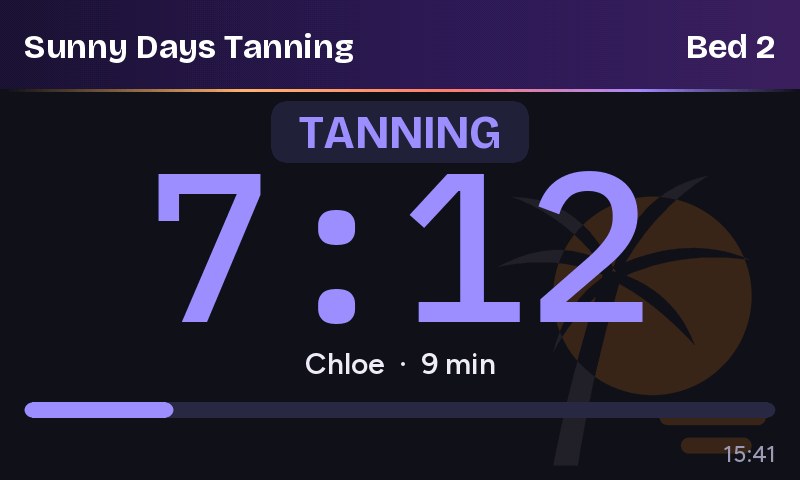
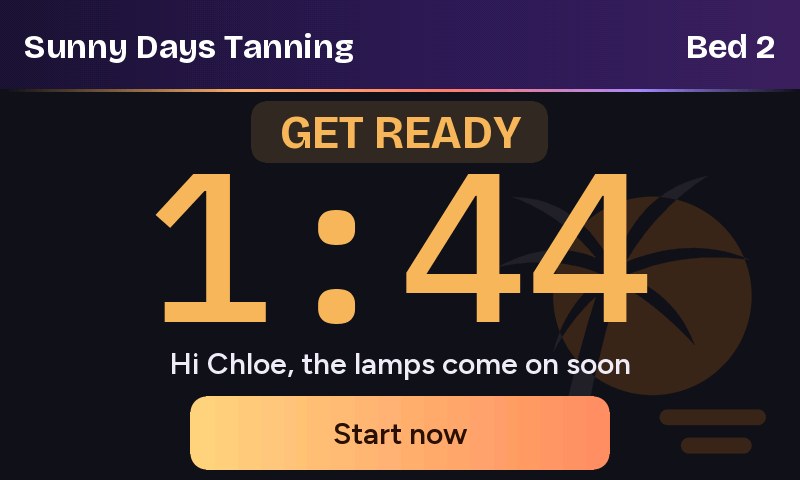
Put a small touch screen by each bed, or use any tablet. It shows the time left in big numbers, says hello by first name, and lets a client who's ready press Start now. The till is told straight away.
- Get ready, tanning and time to change, in your salon's colours
- Keeps counting if the Wi-Fi drops for a moment
- Updates itself after the till does, only while its bed is free
- Can switch the bed on and off for you
Also in Tanlo
The rest of the salon, handled.
Staff and permissions
Everyone signs in with a PIN or fingerprint. Choose who can give refunds, discounts, see takings or cash up.
Fingerprint and key fob
Clients touch the reader and their card opens. No more spelling names at the desk.
Owner's live view
See the beds, the queue and today's takings on your phone, wherever you are.
Emails that bring clients back
Receipts, minute balances, and offers to groups like "minutes but not visited".
Client groups
New clients, most regular, not visited lately. Choose the time and export the list.
UK GDPR tools
Save a copy of a client's data, remove them on request, and tidy away old records.
Nightly backups
A copy on the PC every day and an encrypted copy online. Restore onto a new PC in minutes.
Automatic updates
New versions install themselves at night, when nobody is on a bed. One tap puts the old one back.
A second till on a tablet
Take payments and start beds from anywhere in the salon, on the same Wi-Fi.
Switching over
Moving from SalonTracker takes an afternoon.
Make a backup in SalonTracker and open it in Tanlo. It reads the file itself and shows you what it found before anything changes. Minutes left are counted the same way SalonTracker's own report counts them.
- Clients and their details✓ comes across
- Minutes left on courses✓ comes across
- Signed agreements✓ comes across
- Visit history, by bed✓ comes across
- Products and prices✓ comes across
Pricing
One subscription. All of Tanlo.
No modules to add on and no contract. You pay monthly by card and can cancel any time.
- Every feature on this page
- All your sunbeds
- All your staff
- Tablets and bed screens
- Online booking page
- Nightly online backups
- Updates as they come out
- Help moving from SalonTracker
Ready to try it?
Ask for a demo and we'll show you Tanlo running with your own beds and prices. Already decided? Subscribe online and your licence key arrives straight away.
Questions
Things salon owners ask.
What do I need to run it?
A Windows 10 or 11 PC at the desk. A touch screen is nice but not needed. Receipt printers, cash drawers, card machines, fingerprint readers and webcams are all optional, and most salons add them over time.
What happens if the internet goes down?
Tanlo runs on your PC, so you can keep selling, starting beds, booking and cashing up. Online booking, emails and online backups catch up when the connection comes back.
Where are my client records kept?
On your own PC, in the salon. A copy is saved there every day, and an encrypted copy is kept online every night. Nobody can open the online copy without your backup password.
I use SalonTracker. Can I bring my clients?
Yes. Tanlo reads a SalonTracker backup directly and brings across clients, minutes left, signed agreements, visit history and products. You see a preview first, and a backup is made before anything is imported.
Can my staff use it without training?
Most people pick it up in a shift. Each bed card shows exactly what's happening, and every button says what it does. A step-by-step user guide comes with Tanlo.
Do I need the bed screens?
No, they're optional. Tanlo works on its own at the desk. Add a screen by a bed whenever you like, or use a spare tablet instead.
How do I cancel?
From the billing page, at any time. Tanlo keeps working until the end of the month you've paid for.